


Google News - Daily Headlines
4.057.63K Reviews
App Specs
- Version
- Varies with Device
- Updated On
- License
- Free
- Downloads
- 1,000,000,000+
- Developer
- Google LLC
- Categories
- News & Magazines
- Platform
- Android, iOS
Screenshots
 Analysis by AppCompare
Ever found yourself drowning in the sea of information on the internet? Trust me, I've been there too. That's where Google News - Daily Headlines comes to the rescue. I decided to give this app a spin, and here’s my take on it.
A useful starting point for a busy news day
I find the app most helpful when I want a quick overview rather than a deep reading session. On a weekday morning, for example, I can scan headlines over breakfast, open a story that matters to me, and then move on without visiting a long list of separate news sites. That convenience is the main reason I would keep it on my phone: it gives me one place to begin, not a guarantee that one feed will tell the whole story.
Google News is a free news and magazines app from Google LLC, aimed at Teen users. Its average rating is 4.0 from around 2 million ratings, and it has passed 1 billion installs. Those figures suggest that it has become a familiar option for many readers, but popularity alone does not settle whether its approach suits you. I would judge it by whether its mix of topics, local coverage, and article sources helps you build a useful routine.
Guides and Analysis on Google News - Daily Headlines
The app’s value is strongest when you treat its feed as a starting point. Personalization can reduce the effort of finding stories you care about, while a broader look at coverage helps when a headline is important or contentious. I would not rely on a single surfaced article for a complicated issue; I use the app to find the story, then compare the reporting and follow the details that matter.
When a personalized feed helps—and when it narrows your view
Personalization is convenient, but it comes with a trade-off. A feed shaped by what I tend to read can make a short session feel relevant; it can also make familiar subjects easier to encounter than unfamiliar ones. I try not to treat the first screen as a complete picture of the day. If I have been following one topic closely, I deliberately browse beyond it and look for coverage that challenges my first impression.
A practical habit is to use topic choices as guidance rather than a permanent boundary. I would select a few interests that genuinely matter, then check whether the resulting mix still leaves room for general news and local stories. If the feed starts to feel repetitive, changing what I read or exploring a different section is more useful than expecting personalization to anticipate every interest perfectly.
This is also where Google News differs from opening one newspaper’s app. A single publisher can provide a consistent editorial voice and a familiar way of covering events. Google News is more useful when I want to discover stories across sources in one place, but that variety means I need to pay attention to who published a piece and what kind of reporting it offers. For readers who strongly prefer one newsroom’s perspective or layout, that publisher’s own app may be a better daily home.
Worth Reading Before You Choose

Flipboard Shows What News Apps Must Do Beyond the Feed

Switching to Android Auto Means Rethinking Your Driving Routine

Google Calendar Makes a Crowded Week Easier to Manage

Ludo King Makes the Most of the Minutes Between Plans

Baby Panda World Brings Quick Play to Modern Phones, but Its Game Library Feels Busy

ESPN’s Live Game View Makes Following Close Games Easier
First Impressions
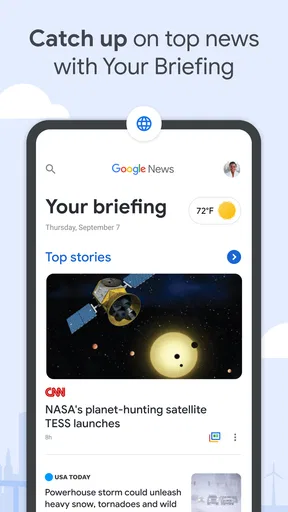
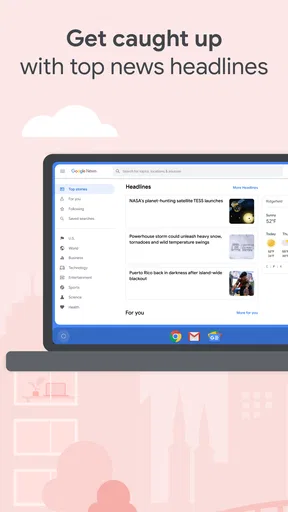
The first thing that struck me about Google News - Daily Headlines is its clean and intuitive interface. From the moment you open the app, it feels like you’re being greeted by an old friend who knows exactly what you like. The layout is simple, with headlines and news sections neatly organized. It's like walking into a well-stocked library where every book is precisely where you expect it to be.
Personalized News Feed
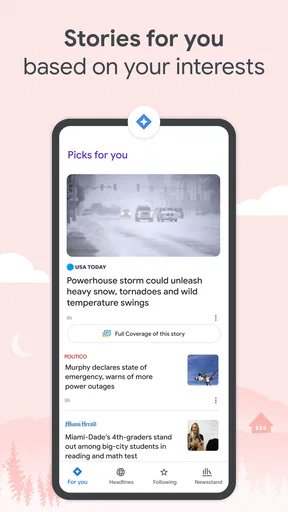
This is where the magic happens. The app uses AI to tailor the news to your interests. I was amazed by how quickly it started to learn my preferences. One day I'm reading about tech innovations, and the next, it’s serving me the latest in global politics. It’s like having a personal news curator who gets better with every swipe.
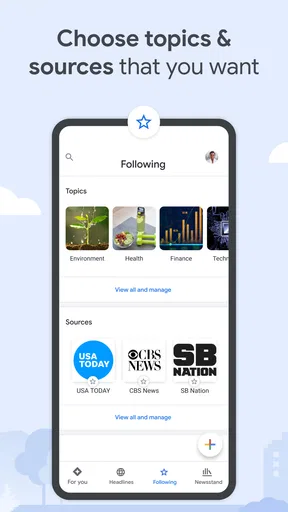
Setting up your preferences is a breeze. You can choose topics you’re interested in, and the app does the rest. Whether you’re into sports, entertainment, or world news, Google News - Daily Headlines has got you covered.
Making the coverage useful
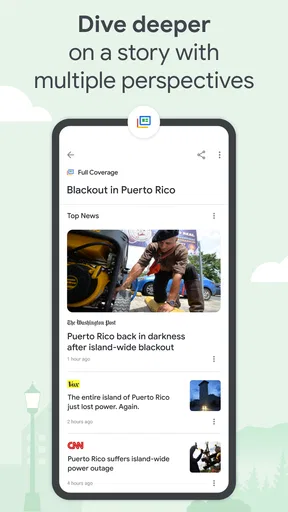
When I open a story, I try to use the additional coverage as a comparison tool rather than simply reading several versions of the same headline. Check whether the articles add different reporting, explain separate consequences, or offer context that the first piece lacked. This is a more useful way to spend a few extra minutes than assuming that a larger pile of links automatically gives a fuller understanding.
It also helps to separate breaking updates from background reading. A developing story can change quickly, so I look at publication details and the substance of each article before drawing a conclusion. For an issue with practical consequences—such as a local decision or a change affecting my work—I would still check the original reporting and relevant primary information where appropriate. The app can bring coverage together, but the reader still has to make those distinctions.
Stay Updated, Stay Informed
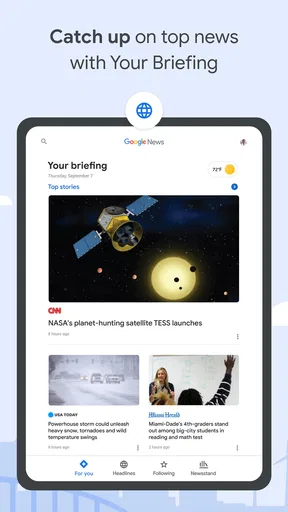
One of the standout features is the "For You" tab. It’s a daily digest of stories that are both relevant and engaging. I found myself checking it every morning with my coffee, feeling more informed and ready to tackle the day. Plus, the app updates in real-time, so you’re always in the loop with the latest happenings.
Another nifty feature is the "Full Coverage" option. With just one tap, you can dive deep into a story with multiple perspectives. It’s perfect for those news junkies who love to get every angle on a topic.
A realistic routine for following a developing story
If a major story is unfolding while I am commuting, I can skim the main feed first and save the deeper reading for later. When I return to it, I look at the range of coverage rather than repeatedly refreshing headlines. That small change keeps a news check from turning into an endless scroll, and it makes the app more useful for people who have limited time but still want to understand what has changed.
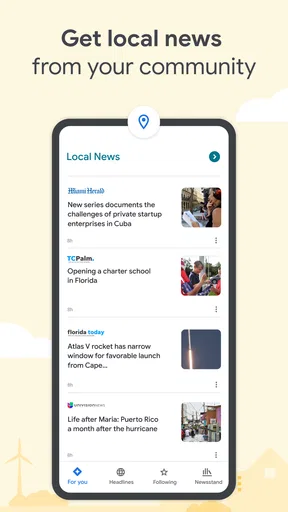
For a story that affects my neighborhood, I would start with the local section, then compare the specific local reporting with broader coverage if the issue has wider implications. Local reporting can supply details that national summaries overlook; wider coverage can help explain why the issue matters beyond one community. Neither view replaces the other, and the combination is more valuable than treating a single headline as the complete account.
Local News at Your Fingertips
Now, I’m someone who likes to keep an eye on what’s happening locally, and this app doesn’t disappoint. The "Local" tab ensures you stay connected with your community. From local politics to cultural events, it’s all there, making sure you don't miss a beat.
Planning around offline reading
Offline reading is most useful when I prepare before losing connectivity. I save pieces I genuinely expect to finish, rather than assuming I will have a chance to retrieve a story once I am already underground or travelling through a dead zone. This turns the feature into a simple reading queue. It is especially practical for a commute or a flight, though it is not a substitute for live updates: saved articles cannot keep me current on events that change after I go offline.
If you want a detailed archive or a carefully organized research library, I would use a dedicated reading or bookmarking tool alongside the app. News reading and long-term reference are different jobs. Google News works best for discovering and catching up; a separate system can be better for collecting material you will need to revisit and cite.
Offline Reading
We’ve all been there—stuck on a subway with no signal, desperate for something to read. Thankfully, the app allows you to save articles for offline reading. I found this feature super handy for those moments when you’re off the grid but still want to catch up on the news.
Ease of Use
The app’s navigation is smooth, and everything is right where you’d expect it to be. Want to share an article? Easy peasy. The share button is just a tap away, making it simple to spread the word via social media or messaging apps.
There’s also a night mode, which is a blessing for late-night reading. It’s easy on the eyes and ensures you don’t disturb your sleeping partner with a glaring screen.
Who will get the most from it
I would recommend it to readers who follow several subjects, like discovering coverage from more than one source, and want a convenient daily starting point. It can also suit someone who wants local headlines alongside national and international stories without manually opening several publisher apps. Casual readers can dip in briefly; people who follow news closely can use the combined coverage to find other reporting and perspectives.
I would skip it as my primary news source if I wanted a single publication’s consistent editorial voice, a highly controlled chronological feed, or a focused specialist product for one subject. It may also frustrate anyone who finds recommendation feeds distracting or prefers to choose every source and article manually. In those cases, a publisher’s app, a specialist news service, or a carefully curated set of direct sources may fit better.
What product age does—and does not—tell you
Google News first appeared on June 27, 2012, so it is an established product rather than a new experiment. Its long history gives existing users a familiar way to check headlines, but a release date by itself does not tell me which current features have changed or how the interface will evolve next. I prefer to judge the app by what I can use now, rather than assume that age guarantees a particular direction.
For someone returning after time away, the sensible approach is to explore the current feed and sections afresh instead of expecting every old habit to fit exactly. For a new reader, there is no need to master every section on day one: start with a short list of interests, check local coverage if it matters to you, and adjust the mix once you see what is actually useful. The app is free, which makes trying that routine a low-commitment decision, but the more important question is whether its selection style earns a regular place in your day.
Final Thoughts
In a world where information is endless, Google News - Daily Headlines offers a refreshing way to stay informed without feeling overwhelmed. It’s like having a smart, savvy friend who keeps you updated on everything you care about. Whether you’re a casual reader or a news enthusiast, this app is a must-have on your phone.
So, if you’re looking to simplify your news consumption and stay ahead of the curve, give Google News - Daily Headlines a try. You’ll wonder how you ever lived without it!
What I would watch in everyday use
Over time, I would pay attention to whether the personalized mix keeps broadening my reading or simply reinforces my usual interests. I would also notice whether the local coverage is relevant to where I live and whether the articles surfaced for a major story add meaningful reporting. Those are better measures of fit than the number of headlines I can scroll through: useful news should help me understand what matters, not just keep me tapping.
My bottom line is that this is a convenient news hub, not an editorial shortcut. Used with a little curiosity—checking sources, comparing coverage when a story matters, and occasionally looking beyond the feed—it can make a busy reader’s routine easier. If I wanted a fast overview and a path to further reading, I would keep using it; if I wanted one definitive voice or a tightly controlled reading list, I would choose a different tool for that job.
Pros
- Customizable news topics and alerts.
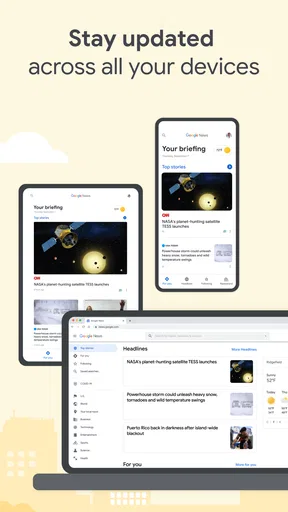
- Seamless integration with Google ecosystem.
- Offline reading for convenience.
- Minimalist and user-friendly interface.
- AI-driven personalized content.
Cons
- Occasional repetitive news articles.
- Limited control over source selection.
- Ads can be distracting.
- Data usage can be high.
- Requires Google account to use.
FAQs for Google News - Daily Headlines
What is Google News and how does it work?
Google News is a news aggregator that collects and organizes headlines from a variety of sources worldwide. It uses algorithms to tailor content based on your interests and location, providing a personalized news experience. Users can explore top stories, local updates, and specific topics of interest, all in one place.
Is Google News free to use?
Yes, Google News is completely free to download and use. It offers access to a wide range of news articles without any subscription fees. However, some content may link to external sites that require subscriptions for full access, but the app itself does not charge users.
Can I customize the news topics in Google News?
Absolutely! Google News allows users to customize their news feed by selecting topics, publications, and locations that interest them. You can follow specific subjects and sources, ensuring that your news feed reflects your personal preferences and keeps you informed about what matters most to you.
Is Google News available offline?
Google News provides an offline feature that allows users to download articles and read them without an internet connection. This is particularly useful for users who want to catch up on news during travel or in areas with limited connectivity. Simply download the content beforehand for offline viewing.
How does Google News ensure the credibility of its sources?
Google News aggregates content from a wide range of reputable publishers and uses algorithms to rank articles based on quality and relevance. It includes a diverse set of perspectives to help users form a well-rounded understanding of current events. Users can also verify sources and read multiple viewpoints on a topic.


